How It Works
Planning your summer has never been easier.
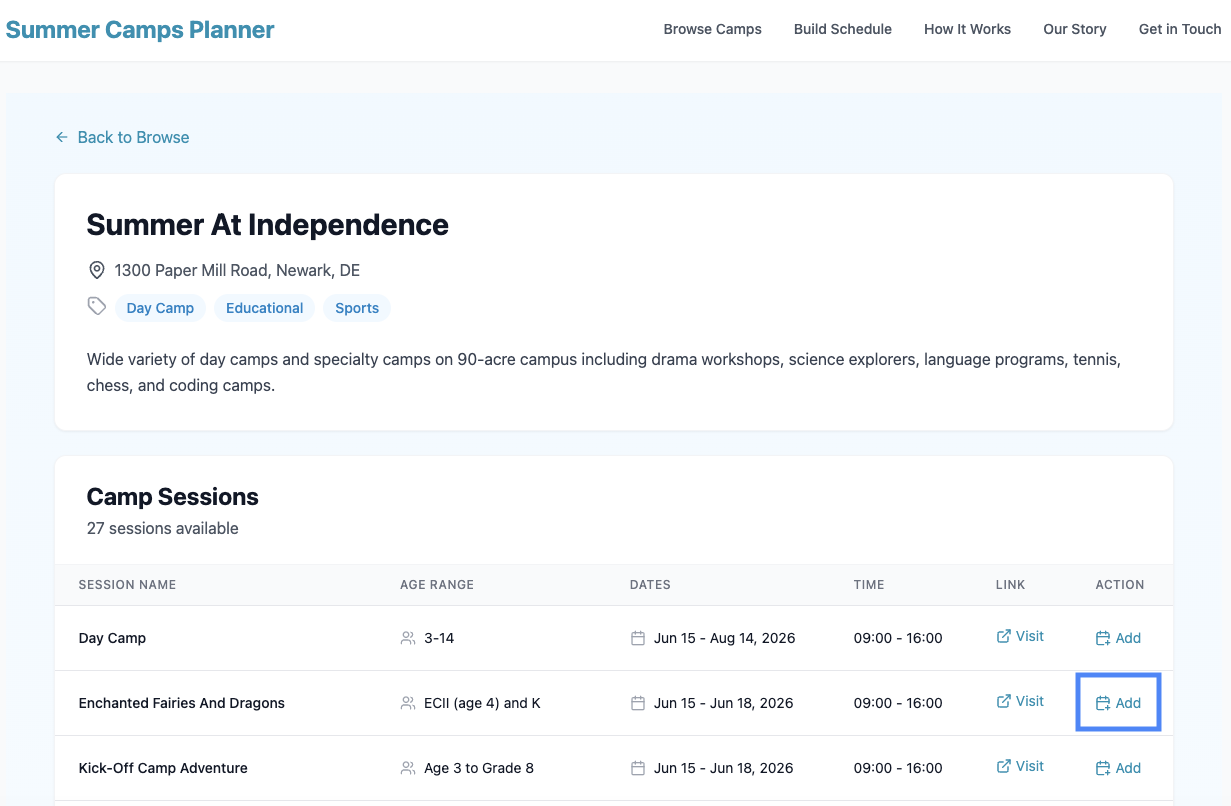
Add sessions directly from a camp’s details page
Browse a camp’s available sessions and add the ones you want to your schedule with a single click.
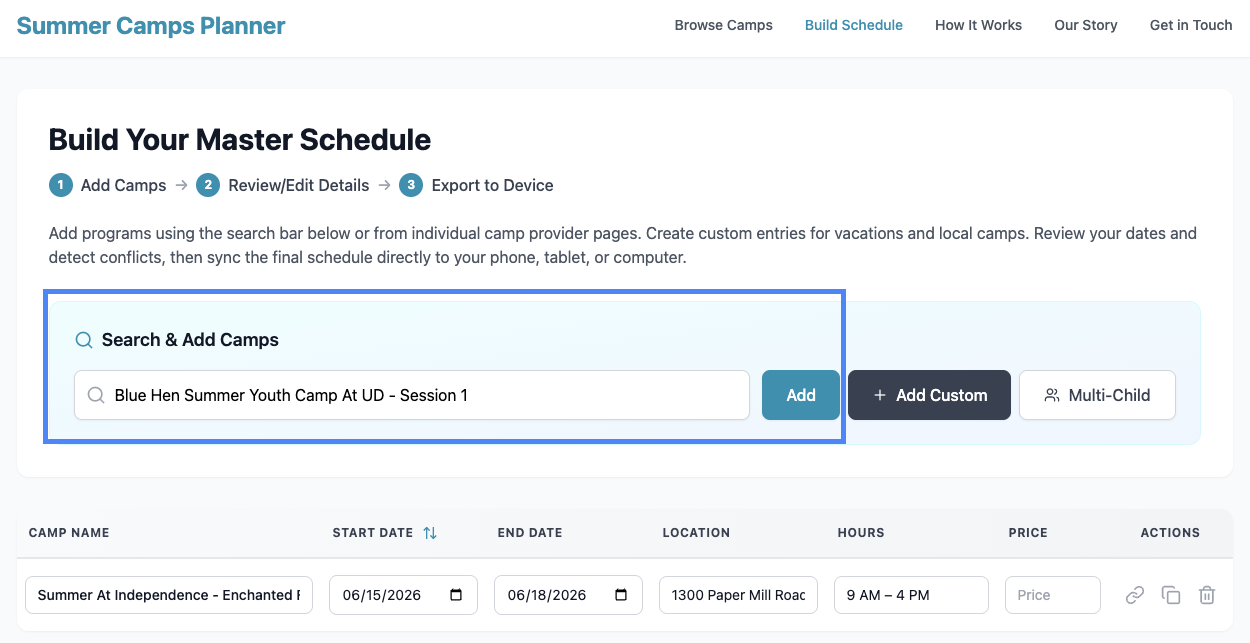
Search for camps and add sessions instantly
Use the search bar to find camps by name or location and add sessions without leaving the planner.
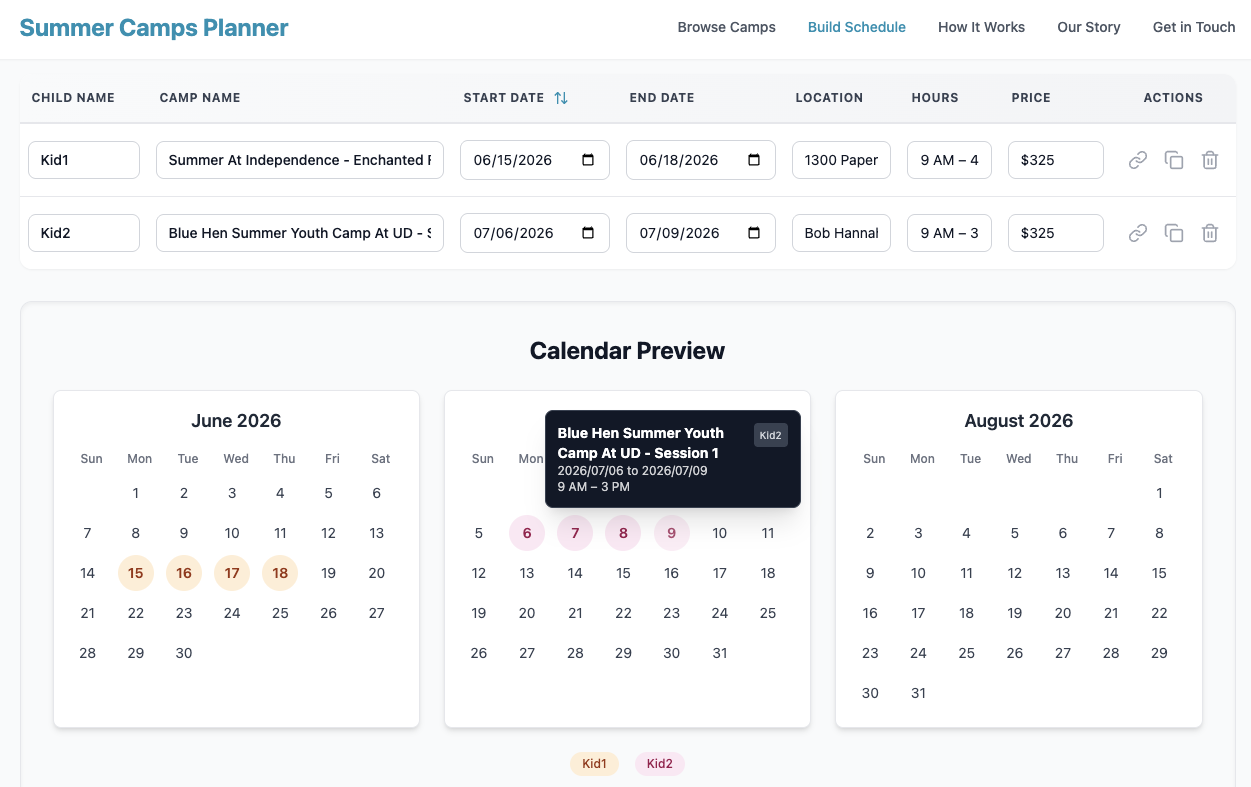
Plan for multiple children at once
Switch between kids or view everyone’s schedule together to catch overlaps and gaps easily.
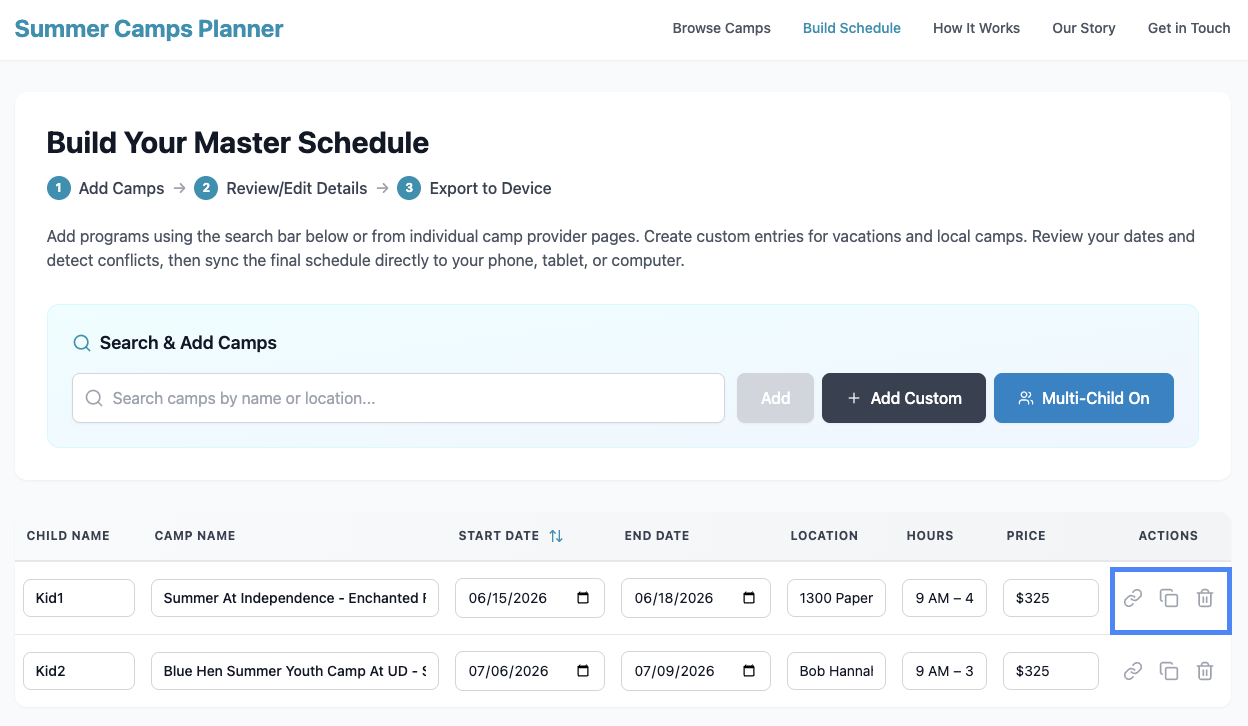
Edit and manage sessions like a spreadsheet
Adjust times or prices, open the camp’s official website, or clone a session to quickly build similar schedules.
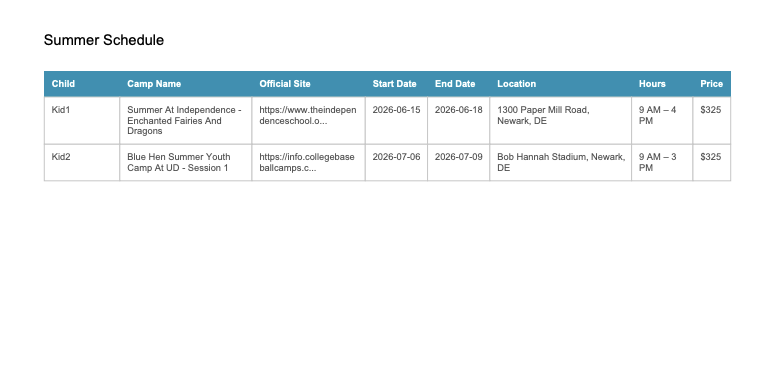
Download a complete PDF of your summer plan
Get a printable overview with all camp details, dates, and notes in one place.
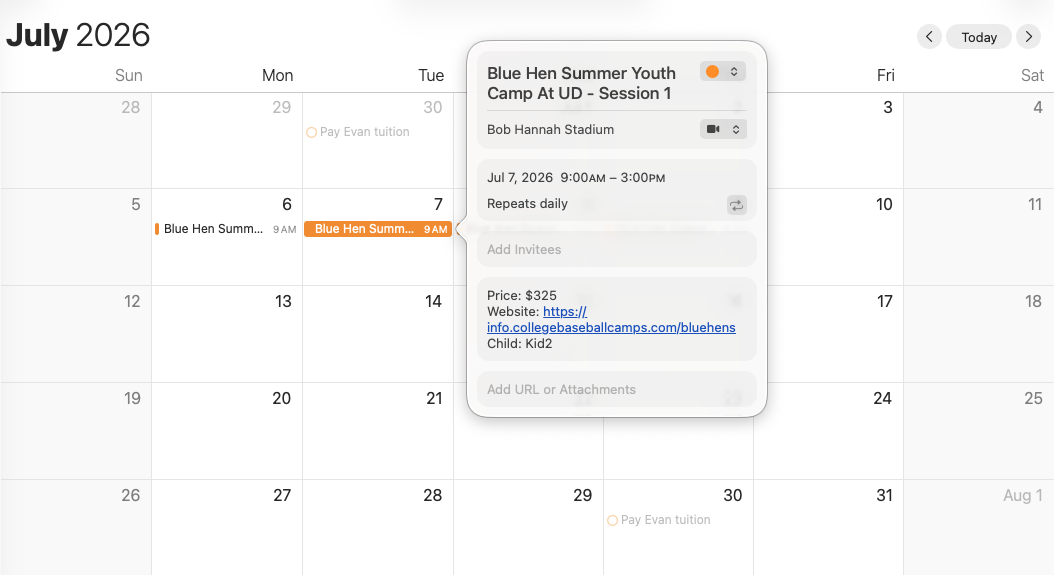
Sync your schedule to your calendar
Export to Google or Apple Calendar so camp schedules appear alongside your daily events.